
Introduction
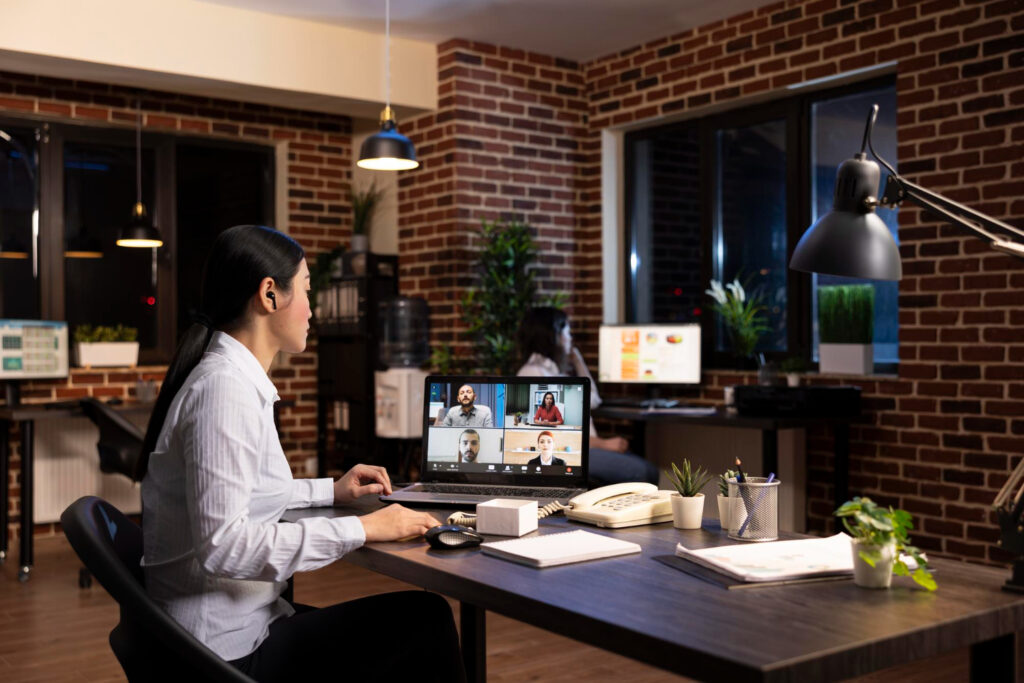
A remote work setup refers to the arrangement of your home workspace and the tools you use to perform your job efficiently outside a traditional office. In recent years, more people have shifted to working from home, making it essential to have a setup that supports both productivity and well-being. A proper remote work setup is more than just having a desk and a laptop; it involves creating an environment that helps you focus, minimizes distractions, and allows you to maintain good posture and health.
Many remote workers face challenges such as feeling isolated, struggling to stay productive, or dealing with physical discomfort from long hours at a desk. This article explores how to choose the right workspace, select essential equipment, organize your environment, optimize workflow, and maintain comfort, while also highlighting common mistakes to avoid.
Choosing the Right Workspace
The foundation of any effective remote work setup is a well-chosen workspace. Finding a quiet, comfortable area at home is crucial. Ideally, this space should be free from high traffic areas and distractions. Many people find that working near a window or in a room with natural light helps improve mood and focus.
Ergonomics play a big role in workspace selection. Your desk and chair should allow you to maintain a healthy posture, preventing strain on your back, neck, and wrists. Even small adjustments, like raising your monitor to eye level or using a supportive chair cushion, can make a noticeable difference.
Separating work from personal life within the same space is another important consideration. If possible, designate a specific area as your work zone and avoid using it for leisure activities. This separation helps signal to your brain that it’s time to focus, improving both productivity and mental well-being.
Essential Equipment for a Remote Work Setup
A functional remote work setup relies on the right equipment. A sturdy desk and an ergonomic chair are the first priorities. The desk should be spacious enough to hold your essential items without feeling cramped, while the chair should provide adequate support for long hours of sitting.
Technology is another key component. A reliable laptop, monitor, keyboard, and mouse are fundamental for daily tasks. Depending on your work, dual monitors can increase efficiency, and a high-quality keyboard and mouse can reduce strain. Additionally, optional tools like webcams, headsets, and microphone setups can enhance virtual meetings and communication. Investing in these items may improve comfort, productivity, and overall work experience.
Organizing Your Remote Work Environment
An organized workspace contributes significantly to productivity. Managing cables and decluttering your desk prevents distractions and creates a visually appealing area. Simple solutions, like cable organizers or small storage containers, can keep your workspace neat and functional.
Storage solutions for office supplies are equally important. Having pens, notebooks, and other essentials easily accessible avoids unnecessary interruptions. Embracing minimalism can also enhance focus. A tidy, streamlined environment reduces mental clutter and creates a sense of calm, which helps you concentrate on your tasks.
Optimizing Productivity and Workflow
Even with a perfect workspace, productivity can falter without proper routines and tools. Establishing daily schedules and clear work hours helps maintain focus and ensures that tasks are completed on time. Structuring your day with dedicated blocks for meetings, focused work, and breaks can prevent burnout.
Digital tools, such as task managers or calendar apps, are valuable for staying organized. They allow you to track deadlines, prioritize projects, and manage recurring tasks efficiently. Additionally, minimizing distractions at home is critical. Techniques like turning off non-essential notifications, creating a dedicated work environment, and communicating boundaries with household members can help maintain concentration.
Maintaining Comfort and Well-Being
Remote work is not just about productivity; maintaining comfort and well-being is equally essential. Incorporating movement and stretching throughout the day prevents physical strain and keeps energy levels steady. Even short breaks to stand, walk, or stretch can have significant benefits.
Creating a comfortable environment includes managing temperature, lighting, and noise levels. A well-lit room with natural or soft artificial light reduces eye strain, while a moderate temperature supports focus and comfort. Personal touches, such as plants, artwork, or meaningful decorations, can enhance your mood and motivation, making your workspace feel inviting.
Common Mistakes to Avoid in a Remote Work Setup
Even with the best intentions, it’s easy to fall into habits that hinder productivity and comfort. Overloading your desk with unnecessary items can create clutter and mental stress. Keeping only essential tools within reach helps maintain a clean and functional environment.
Ignoring ergonomics is another common mistake. Poor posture can lead to discomfort and long-term health issues. Regularly evaluating your chair, desk, and monitor positions is important to prevent strain.
Finally, failing to separate work and relaxation spaces can blur the line between professional and personal life. Working in areas associated with rest, like the bedroom or couch, may reduce focus and make it harder to disconnect after work hours.
Conclusion
Creating an effective remote work setup requires attention to both the physical environment and daily routines. Choosing the right workspace, investing in essential equipment, keeping your environment organized, optimizing productivity, and maintaining comfort are all key components. Avoiding common mistakes like clutter, poor ergonomics, and blurred work-life boundaries ensures long-term success.
Experimenting and personalizing your setup is encouraged, as every individual’s needs and preferences are different. Ultimately, a balanced remote work setup supports both productivity and well-being, helping you make the most of your work-from-home experience.
FAQs
What is a remote work setup?
A remote work setup is the home workspace and tools arrangement that helps you work efficiently and comfortably outside an office.
Why is having a proper setup important?
It improves focus, productivity, and physical comfort while preventing burnout and long-term strain.
Do I need special equipment to start?
Start with basics like a desk, chair, and laptop. Optional items like a monitor, headset, or keyboard can boost comfort and efficiency.
How can I separate work from personal life at home?
Designate a specific area for work, avoid using it for leisure, and create clear boundaries with routines.
How often should I adjust my workspace?
Regularly reassess ergonomics, organization, and lighting to ensure comfort and productivity as needs change.