
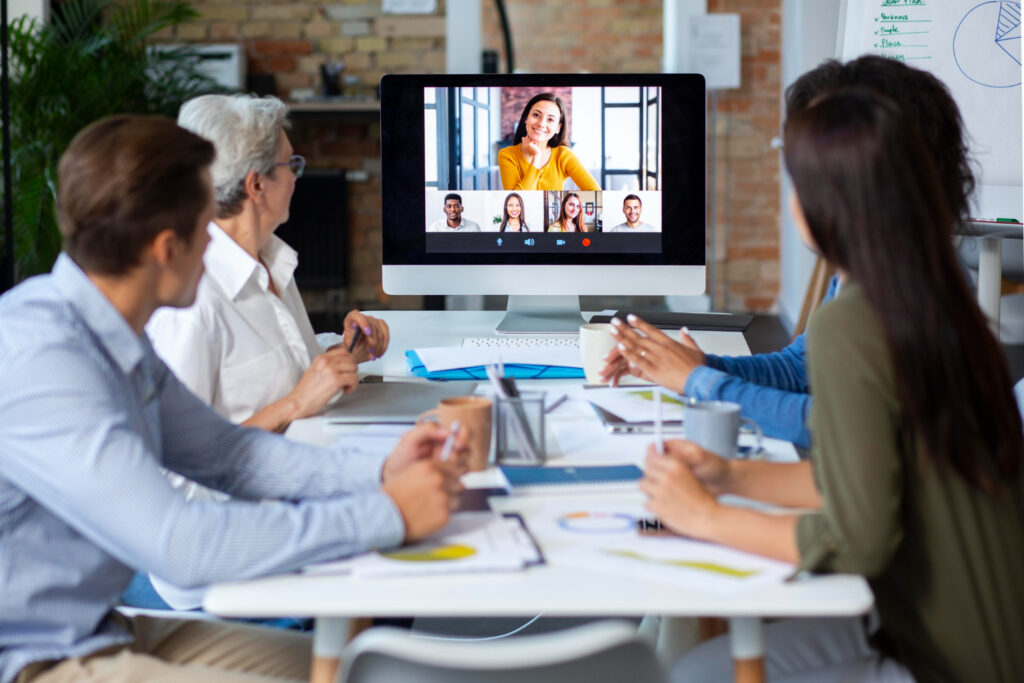
In today’s fast-paced digital world, video conferencing has become an essential tool for communication, collaboration, and professional networking. Whether you’re connecting with colleagues, clients, or partners, presenting yourself effectively on a virtual platform can make a significant difference in how your message is received. Despite its convenience, many people struggle with common challenges such as poor lighting, distracting backgrounds, or technical glitches, which can undermine the professionalism of an online meeting.
This guide aims to provide practical, actionable video conference tips that help you appear confident, organized, and engaging in any virtual setting. From optimizing your setup to mastering non-verbal cues, these strategies are designed to enhance your online presence while ensuring smooth and productive meetings. By following these tips, you can create a more professional and comfortable video conferencing experience for both yourself and your participants.
10 Successful Video Conference Tips
1. Frame Your Fame – Perfect Your Camera Angle and Background
Your camera angle has a big impact on how you are perceived in a video call. Positioning the camera at eye level ensures natural eye contact and helps you appear confident and engaged. Avoid looking down or up at the camera, as it can create an awkward or unprofessional impression.
Equally important is your background. A clean, uncluttered space keeps the focus on you, while a neutral-colored wall or simple décor adds a professional touch. If needed, a subtle virtual background can also work, but avoid anything distracting or inappropriate for the meeting context.
Finally, think about your positioning within the frame. Sitting at a comfortable distance so your head and shoulders are visible creates a balanced shot. Proper framing and background setup give you a polished presence, making your video calls more effective and engaging.
2. Mute Mastery – Know When to Mute and Unmute
Knowing when to mute your microphone is a simple but powerful way to maintain professionalism in video calls. Background noises like typing, pets, or household sounds can be distracting, so muting yourself when not speaking helps keep the conversation clear and focused.
Equally important is unmuting at the right moment. Interrupting or speaking while muted can cause confusion, so pay attention to cues from the speaker or visual hand signals. Practicing quick mute/unmute controls ensures smoother communication without delays.
Using mute effectively also shows respect for others’ time and attention. By managing your microphone thoughtfully, you contribute to a more organized and pleasant meeting environment, allowing everyone to focus on the discussion rather than unnecessary distractions.
3. Lighting Magic – Tips for Looking Bright and Professional
Proper lighting can dramatically improve how you appear on a video call. Natural light from a window in front of you creates a clear, flattering image, while overhead or backlighting can cast unflattering shadows. Position yourself so the light illuminates your face evenly for a professional appearance.
If natural light isn’t available, consider using soft, diffused artificial lighting. Desk lamps or ring lights placed behind your camera can brighten your face without creating glare. Avoid mixing multiple light sources with different color temperatures, as this can create a distracting and inconsistent look.
Good lighting not only enhances visibility but also helps you appear more attentive and confident. By adjusting your light sources thoughtfully, you can make every video call look polished, engaging, and professional, leaving a positive impression on your participants.
4. Dress to Impress – How Attire Affects Virtual Presence
Your clothing choice plays a significant role in how you are perceived during video conferences. Dressing professionally, even in a casual work-from-home environment, signals respect for the meeting and the participants. Simple, clean, and well-fitted attire helps convey confidence and credibility.
Colors and patterns matter as well. Solid, neutral tones are generally safe and look clear on camera, while busy patterns or overly bright colors can be distracting. Consider the nature of the meeting and the expectations of your audience when choosing your outfit.
Dressing appropriately also affects your own mindset. Wearing professional attire can boost confidence and help you approach meetings with focus and authority. By paying attention to how you present yourself visually, you reinforce your professionalism and make a strong impression in every virtual interaction.
5. Eye Contact Matters – Looking Into the Camera, Not the Screen
Maintaining eye contact during video calls helps you appear engaged, confident, and attentive. Instead of looking at the images of participants on your screen, focus on the camera lens. This creates the impression that you are making direct eye contact with everyone in the meeting.
It may feel unnatural at first, but practicing this technique enhances communication and builds trust with your audience. Slightly glancing at the screen to read cues is okay, but the camera should remain your primary focal point for speaking.
Consistent eye contact also signals active listening and professionalism. By training yourself to look at the camera rather than the screen, you strengthen your presence in virtual meetings and make interactions feel more personal and connected.
6. Background Balance – Clean or Professional Virtual Setups
A well-organized background helps maintain focus on you rather than distracting elements. Choose a clean, uncluttered space where personal items, clutter, or busy patterns are out of view. Simple décor, such as a neutral wall or a few professional items, can add subtle personality without drawing attention away from the meeting.
Virtual backgrounds can also be effective if your physical space isn’t ideal. Opt for professional, minimal designs that avoid excessive animation or bright colors. Ensure your virtual background aligns with the meeting context and doesn’t interfere with your visibility on camera.
Balancing your background conveys professionalism and attention to detail. By thoughtfully arranging your space or selecting an appropriate virtual backdrop, you enhance your presence and create a more comfortable and engaging environment for all participants.
7. Tech Check Tactics – Test Your Equipment Beforehand
Technical issues can quickly disrupt a video conference and undermine your professionalism. Before every meeting, test your camera, microphone, and speakers to ensure they are functioning properly. A quick equipment check can prevent interruptions and make you appear prepared and reliable.
Internet connectivity is equally important. Make sure you have a stable connection, and consider using a wired connection if Wi-Fi is inconsistent. Closing unnecessary applications or browser tabs can also help reduce lag and improve overall performance during the call.
Being proactive about technical readiness shows respect for everyone’s time and minimizes distractions. By testing your equipment ahead of time, you create a smoother, more confident video conferencing experience for both yourself and other participants.
8. Engage & Energize – Keeping Attendees Interested
Maintaining engagement during a video conference is key to productive and effective communication. Encourage interaction by asking questions, inviting feedback, or using polls and chat features. Active participation keeps attendees focused and makes the session more dynamic.
Your energy and tone also play a significant role. Speaking clearly, varying your pitch, and showing enthusiasm can prevent the conversation from feeling monotonous. Smiling and using natural gestures helps convey approachability and keeps participants connected.
Visual aids, such as slides, screen sharing, or brief demonstrations, can further sustain interest. By combining interactive techniques with confident delivery, you ensure that attendees remain attentive and engaged throughout the meeting.
9. Time Wise Tips – Start on Time, Stay Concise
Starting a video conference on time sets a professional tone and shows respect for everyone’s schedule. Punctual meetings help participants stay focused and signal that the discussion is well-organized. Allowing a few minutes for setup beforehand can prevent unnecessary delays.
Keeping your points clear and concise is equally important. Long explanations or off-topic discussions can reduce engagement and waste valuable time. Planning an agenda and sticking to key points helps meetings remain productive and purposeful.
Effective time management improves overall meeting efficiency. By starting on time and communicating with clarity, you create a more structured and respectful video conferencing experience for all participants.
10. Chat & Share Smart – Using Chat and Screen-Sharing Effectively
The chat feature is a valuable tool for sharing quick thoughts, links, or questions without interrupting the speaker. Using chat responsibly helps maintain the flow of the conversation while allowing quieter participants to contribute. Keep messages clear and relevant to avoid confusion or distractions.
Screen sharing can enhance understanding when used with purpose. Share only what supports the discussion, such as slides, documents, or demonstrations, and close unnecessary tabs to protect privacy. Preparing your screen in advance ensures a smooth and professional presentation.
When used thoughtfully, chat and screen sharing improve collaboration and clarity. By managing these tools effectively, you create a more interactive and organized video conference that benefits all participants.
Conclusion
Successful video conferencing is not just about having the right technology, but about using it thoughtfully and professionally. Small adjustments in camera framing, lighting, attire, and background can significantly improve how you are perceived during virtual meetings. When combined with good communication habits, these details help create a more focused and respectful environment for everyone involved.
Applying these video conference tips consistently can lead to clearer communication, better engagement, and more productive discussions. By preparing in advance, managing your time wisely, and using built-in tools effectively, you demonstrate professionalism and consideration for others. Over time, these practices build trust and confidence, making virtual meetings smoother and more impactful across different professional settings.
FAQs
Why are video conference tips important?
They help you communicate clearly, avoid distractions, and present yourself professionally in online meetings.
What is the best camera position for video calls?
The camera should be at eye level so you appear engaged and confident.
How can I look more professional on video calls?
Use good lighting, a clean background, appropriate clothing, and maintain eye contact with the camera.
Should I always keep my microphone muted?
Mute when not speaking to avoid background noise, but unmute promptly when contributing.
How do I keep meetings engaging online?
Use questions, chat features, and screen sharing to encourage interaction and attention.