
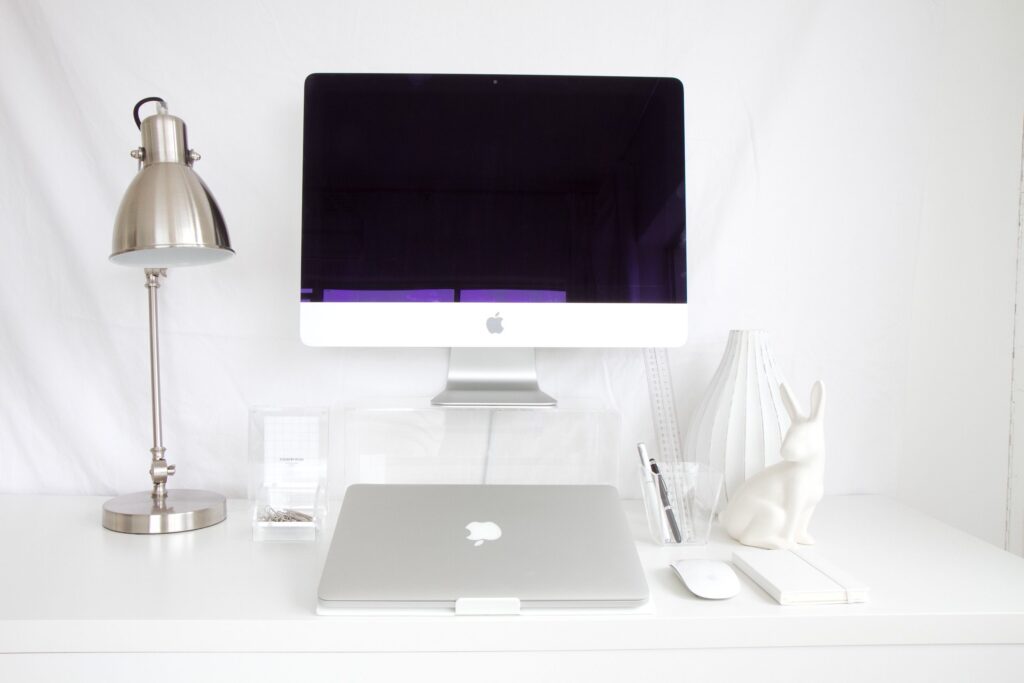
A tidy desk is not about owning more storage. It is about owning less clutter and giving everything that remains a proper place. If your desk is covered in papers, cables and things you have not touched in weeks, a desk organiser will help — but only after you have cleared the surface first. This guide walks through the whole process: decluttering, choosing storage that suits your work, sorting out cables, and building habits that keep the desk tidy once it is done.
The payoff is practical, not just visual. When everything you need is within reach and nothing else is in the way, you spend less time hunting for things. A well-organised desk also protects your equipment: properly routed cables are less likely to be yanked, tripped over or damaged.
Step One: Clear Everything Off
Before you buy a single organiser, take everything off the desk. Every paper, pen, cable, mug and charger comes off, and the surface gets wiped clean. It sounds dramatic, but it is the only way to see what you actually have, and it stops you buying storage for things you should have thrown away.
Sort everything into four groups:
- Keep on the desk: Things you use every day — your laptop or monitor, keyboard, mouse, a pen or two, your notebook, your water bottle.
- Keep nearby: Things you use weekly — reference books, chargers for other devices, a small stationery stock.
- Store elsewhere: Things you rarely use — old notebooks, spare cables, manuals, archived files.
- Remove: Broken items, dried-out pens, duplicate chargers, papers you no longer need, anything you kept “just in case” and never used.
Be honest with the last group. If you have not used something in six months and it has no sentimental or legal value, it is clutter, not storage. Shredding or recycling old papers is usually the biggest single win.
Step Two: Set Up Work Zones
Once the desk is empty, organise what is left into zones based on how you actually work, rather than grouping things by type. This is the principle that makes a desk stay tidy, because it puts things where your hands naturally go.
- The primary zone: Directly in front of you. This holds only your screen, keyboard, mouse and whatever you are working on right now. Nothing else lives here.
- The secondary zone: Within arm’s reach to either side. This is where your pen pot, notebook, phone and daily tools belong.
- The reference zone: Slightly further away or on a shelf. Books, files and weekly stationery sit here, not on the desk surface.
- The charging zone: One fixed spot at the back or side of the desk, where chargers and cables live permanently.
If you work from home in a spare room or garden building, the same zones apply — you just have more room for the reference zone on shelves. Our guide to practical ways to create a workspace outside has ideas for setting up a dedicated workspace.
Choosing The Right Desk Organiser
A desk organiser is any product that gives small items a defined home. Match the organiser to your actual clutter problem, rather than buying a set and hoping it fits.
Drawer Organisers
A drawer organiser tray is the single most useful purchase for most desks, because it turns a junk drawer into a set of compartments where each item has a place. Measure the drawer first, including its depth, and keep
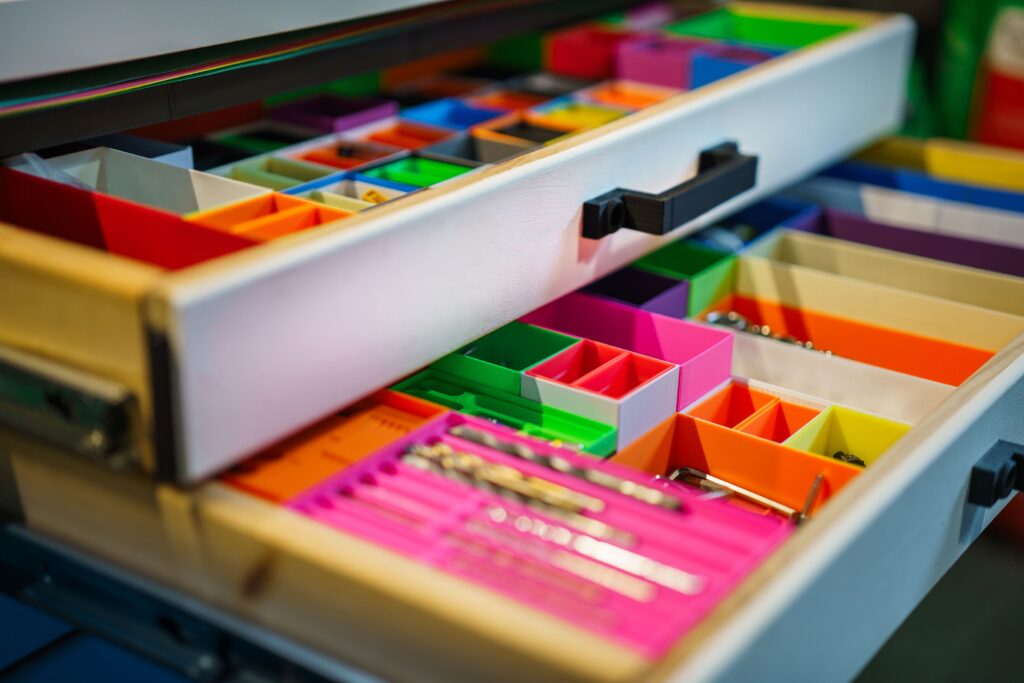
only one of each everyday item in the drawer — the rest belongs in storage elsewhere.
Desktop Trays And Document Holders
Paper that needs action should live in one upright document holder or a single stacking tray, not spread across the desk. Anything that has been sitting in the tray for more than a month either needs actioning, filing or throwing away.
Pen Pots, Cups And Small Containers
A single pen pot beats pens scattered across the surface, but only if you limit what goes in it: two or three pens, scissors and a highlighter are usually enough. A ceramic pot, a jar or a mug works just as well as a purpose-made pen pot, at no cost.
Monitor Stands And Shelves
A monitor stand or small desk shelf creates a second level, which is valuable on a small desk. It holds the screen at a better height and frees the space underneath for a notebook or small tray. A laptop stand plus a separate keyboard achieves the same effect.
Wall Storage And Pegboards
The wall above a small desk can hold scissors, headphones and cables via a small shelf, a pegboard or hooks. In rented homes, adhesive hooks achieve the same thing without drilling.
For more ideas on making a small space work harder, see our guide to smart ways to make every inch work.
Sorting Out Cables

Cables are the part of desk organisation most people skip, and the part that makes the biggest visual difference once it is done. Loose cables also create a trip hazard and can damage equipment if yanked or kinked.
- Unplug everything first. Untangle the cables, check for frayed or damaged ones and replace any that are worn.
- Fit an under-desk cable tray. This is the single most effective cable organiser. The tray screws or sticks to the underside of the desk and holds the power strip and bulky adapters out of sight.
- Mount the power strip under the desk. A power strip lying on the floor collects dust and gets kicked. Mounted under the desk, it is accessible but invisible.
- Bundle cables running the same way. Use reusable hook-and-loop ties rather than single-use zip ties, so you can add or remove a cable later without cutting anything. Do not pull ties so tight that cables kink.
- Label both ends of each cable. A small label or a coloured tie at each end saves you from unplugging the wrong device later.
- Leave slack for adjustable desks. If you have a sit-stand desk, leave a loose loop of slack in the cable bundle so nothing pulls tight when the desk moves up or down.
- Route cables along edges. Run cables along the back edge of the desk or down a leg, using adhesive clips, so no cable crosses a walkway or dangles where feet catch it.
The Health and Safety Executive’s workstation guidance covers the same ground from a safety point of view, including keeping cables clear of walkways: Display screen equipment (DSE) workstation checklist. For a practical step-by-step approach to routing cables neatly, this cable management guide is also useful: Cable management for a clean desk setup.
Desk Organisation For Small Spaces

A small desk needs stricter rules than a large one, because there is no spare surface to absorb clutter. The good news is that a small, well-organised desk is often easier to keep tidy than a big one.
- Go vertical. Use a monitor stand, a wall shelf or a pegboard to move storage off the surface and onto the wall.
- Choose multi-purpose items. A monitor stand with a drawer, a pen pot that also holds your phone, or a desk caddy that hangs over the edge all save space.
- Keep only today’s work on the desk. Everything else goes in a drawer, on a shelf or in a tray that lives elsewhere. At the end of the day, the desk holds only your equipment.
- Use the drawer, not the desktop. If your desk has no drawer, a small rolling trolley beside the desk works as a substitute and can be pushed away when not needed.
- Limit the decor. One plant or one framed photo adds character. Five ornaments on a small desk just become clutter you have to dust around.
If your desk sits in a hallway or bedroom corner, keeping it visually calm matters even more, because the desk is part of a room you also relax in. Our ideas for making a small entrance feel welcoming show how small, tidy touches change the feel of a shared space.
Paper, Files And Digital Clutter
Paper is the fastest-growing form of desk clutter, because it arrives daily and rarely leaves on its own. The fix is a simple routine, not a bigger filing cabinet.
- Deal with post immediately. Open it, act on it, file it or recycle it on the day it arrives. A pile of unopened post is just deferred decisions.
- Scan what you can. Bank statements, manuals and reference documents usually exist online. Scanning the paper copy and recycling the original removes a whole category of clutter.
- One filing box is enough. A single box or folder for the year’s essential papers — tax documents, contracts, warranties — is all most households need.
- Apply the same rule digitally. Keep your computer desktop to current projects only, and file the rest into folders with clear names.
Daily Habits That Keep It Tidy
No organiser will keep a desk tidy on its own. The desks that stay tidy belong to people with a short daily routine that takes less than five minutes.
- The end-of-day reset: Before you finish work, put everything back in its zone, file or bin loose papers, and leave the desk clear for tomorrow. Starting the day at a clean desk is noticeably easier than starting at yesterday’s mess.
- The one-in, one-out rule: Every time something new arrives on the desk permanently, something else leaves it. This stops slow accumulation.
- The weekly five-minute clear: Once a week, empty the document tray, check the pen pot, and remove anything that has crept onto the desk without a home.
- The charging rule: Chargers live in the charging zone, not scattered across the desk. When a device is charged, the cable goes back.
- Eat elsewhere when you can. Mugs and plates are the fastest way to turn a tidy desk into a messy one. If you do eat at your desk, clear it straight away.
Mistakes To Avoid
- Buying organisers before decluttering. Storage bought for clutter just becomes organised clutter. Clear first, then buy only what the remaining items need.
- Choosing looks over function. A beautiful organiser that does not fit your drawer or hold your actual items is wasted money. Measure first.
- Over-organising. Ten tiny compartments for ten tiny categories is harder to maintain than three sensible ones. Keep the system simple enough that you will actually use it.
- Letting cables dangle. Loose cables look messy, collect dust and create a trip hazard. Route them properly once, and you will not have to think about them again.
- Ignoring ergonomics. Organisation should not come at the expense of comfort. Your screen, keyboard and chair still need to be set up so you can work without strain — the HSE workstation checklist linked above is a good reference for this.
Conclusion
An organised desk comes from three things in the right order: clearing what you do not need, giving what remains a proper place, and spending five minutes a day putting things back. A desk organiser is genuinely useful, but it is the second step, not the first. Start by emptying the desk completely, sort everything honestly, set up zones for how you actually work, and sort the cables properly. Then choose one or two organisers that solve the specific problems left over — a drawer tray, a document holder, a cable tray — and build the daily reset habit. Within a week, the tidy desk stops being a project and becomes normal.
Frequently Asked Questions
What is the best desk organiser to start with?
A drawer organiser tray, if your desk has drawers, or an under-desk cable tray if cables are your main problem. Both solve the two most common sources of desk clutter, and both are inexpensive.
How do I organise a desk with no drawers?
Use vertical storage — a wall shelf, pegboard or hooks — plus a monitor stand for a second level, and a small rolling trolley beside the desk as a substitute drawer.
How often should I declutter my desk?
Do a full clear-out every few months, and a five-minute tidy at the end of each working day plus a weekly check of the document tray and pen pot. The daily habit matters more than the occasional big clear-out.
How can I hide cables on my desk?
Fit an under-desk cable tray, mount the power strip underneath the desk, bundle cables running the same way with reusable ties, and route them along the desk’s back edge with adhesive clips. Leave slack if you use a sit-stand desk.
Should everything be off my desk?
No. Keep daily essentials — screen, keyboard, mouse, notebook, a couple of pens — on the desk, and move weekly or rarely used items to shelves, drawers or a cupboard. An empty desk is not the goal; a desk with only what you use is.
Leave a Reply